 Lepus
Lepus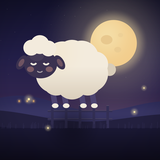
Schlafschaf
iPhone · iOS 18+
Support
Schlafschaf for iPhone
The old trick, done properly: a sheep crosses the fence in one slow breath, and you breathe with it. If something is not working, write to us.
Contact
Email: rutova2@gmail.com. Please add your iPhone model, iOS version and the app version. We usually answer within two days.
Common questions
- The sound stops when I lock the screen.
- Check that the Sound row on the Home screen is not set to Silence and that the iPhone's volume is up. Sound keeps playing after the screen locks until the timer ends.
- I do not feel the breathing pulse.
- The pulse works while the screen is on. Dim the screen with a swipe instead of locking it, and check Settings > Breathing pulse in the app and Settings > Sounds & Haptics on the iPhone.
- I bought Schlafschaf Full but it is locked again.
- Open Settings in the app and tap Restore purchases. You need to be signed in with the same Apple Account that made the purchase.
- The counting voice is in the wrong language.
- Settings > Voice language. "Same as iPhone" follows the system language; you can also pick a language explicitly.
- The Home screen is very dark.
- It keeps the brightness of your last night. Tap the hint to brighten it.
- Refunds
- Purchases are handled by Apple. Request a refund at reportaproblem.apple.com.
- Is it a medical app?
- No. Schlafschaf is not a medical device and does not diagnose or treat anything. If sleep stays hard for weeks, please talk to a doctor.
Requirements
iPhone with iOS 18 or later. Works offline.
Privacy
Schlafschaf keeps your data on your iPhone. Read the privacy policy.